What is BetFinder?
The Power of a Trading Team
Powered by OpticOdds and Claude, BetFinder evens the odds between you and the traders.
Analysing over a million live odds per second across every major sportsbook, BetFinder allows you to harness the power of Artificial Intelligence to find and build smarter bets all in one place.
Build your BetFinder bets this summer with the best World Cup betting sites.
New to BetFinder? Read our step-by-step guide

How to Use BetFinder
BetFinder is designed to help you discover, build, and manage Bet Builders and single bets across multiple sportsbooks.
Add your selections straight into your betslip and share your singles, Acca’s and Bet Builders with your friends.

Key capabilities:
Build Bet Builders with 2+ legs from a single fixture, or combine legs across multiple games into an accumulator.
Ask the AI for accumulator suggestions, hedge ideas, and betting strategies using natural conversation.
Compare real-time odds from major sportsbooks and jump directly to place your bet.
Apply specialised AI modes like ‘/acca’ (accumulator), ‘/bb’ (Bet Builder), ‘/value_bets’ (Value betting) to get targeted mode analysis. For example, “/bb give me a 5 fold bet builder for England vs Croatia with combined odds no lower than 5/1.”
SPORTSBOOKS & ODDS
BetFinder aggregates real-time odds from multiple sportsbooks so you can compare prices and place bets where you get the best value.
SUPPORTED SPORTSBOOKS
| Sportsbook | Abbreviation | Notes |
|---|---|---|
| bet365 | B365 | Full Bet Builder support |
| BetMGM | MGM | Full Bet Builder support |
| bwin | BWN | Full Bet Builder support |
HOW ODDS ARE DISPLAYED
BetFinder uses fractional odds format by default, but you can change this to Decimal or American.
- •Odds-against (e.g., 9/2) - For every £2 you stake, you win £9 profit. A 9/2 accumulator pays £450 profit on a £100 stake.
- •Odds-on (e.g., 2/5) - Shorter than evens, for strong favourites. A 2/5 selection means you stake £5 to win £2 profit (£40 profit on a £100 stake).
LEGS AVAILABLE
When you build an accumulator, not every sportsbook may support all of your selected legs. BetFinder shows this as a fraction:
- •"3/3" - The sportsbook supports all 3 legs in your accumulator.
- •"2/3" - The sportsbook supports 2 out of 3 legs. You can still place the bet, but one leg won't be included.
BET WIN
The "Bet Win" amount shows your estimated net profit from a £100 stake. This is calculated from the combined accumulator odds at the selected sportsbook.
PLACING A BET
BetFinder does not process wagers directly. When you tap Bet Now, you are redirected to the selected sportsbook's app or website with your bet selections pre-filled. You complete the wager there.
POPULAR BETS
The Popular tab is your starting point for discovering curated accumulators and trending outcomes. What you see depends on whether you have a league or fixture selected.
BEFORE SELECTING A GAME
When you first open BetFinder, the Builder shows the AI chat welcome screen with quick suggestions like:
- •"Top weekly accas".
- •"Acca of the day".
- •"Next World Cup game", and other sport-based picks.
Tap any suggestion to start a conversation with the AI, or browse the Games panel to select a league and fixture.
AFTER SELECTING A LEAGUE
Once you pick a league, the Popular tab shows:
- •Bet Builder Carousel - Pre-built Bet Builders for that league. Swipe through to browse different combinations. Each card shows the teams, individual legs, best odds, and a share button.
- •Hot Matches - Popular fixtures in the league with their most-bet markets and live odds. Tap "More Bets" on any match to jump directly to that fixture.
AFTER SELECTING A FIXTURE
When you pick a specific game (e.g., England vs Croatia), you get:
- •Bet Builder Carousel - Bet Builders built specifically for this matchup.
- •Recommended Outcomes - AI-suggested individual legs for this game. Each outcome shows the team, market name, odds from available sportsbooks. Tap any outcome to add it to your betslip.
ADDING LEGS TO YOUR BETSLIP
Tap any outcome or accumulator card to add it to your betslip. The betslip panel on the right (or the Betslip tab on mobile) updates immediately with your selections.
- •Tap an already-selected outcome to remove it from the betslip.
- •Build your bet by combining multiple legs from the same game (a Bet Builder) or across different games (an accumulator).
ALL MARKETS
The All Markets tab (also called "All Bets") lets you manually browse every available betting market for your selected fixture. Use this when you want full control over your accumulator legs.
THREE-STEP SELECTION
Building a bet follows a simple 3-step flow:
- 1.Select Bet Type - Choose a category like Match Result, Handicap, Total, or Player Markets.
- 2.Select Market - Pick the specific market within that category (e.g., "Total Goals", "Player Shots").
- 3.Select Outcome - Choose your pick (e.g., "Over 2.5", "Under 2.5").
On desktop (wide screens), all three steps are shown side by side for faster browsing. On mobile, you step through them one at a time.
SEARCH
Use the search bar at the top of the All Markets tab to quickly find specific markets, teams, or outcomes:
- •Type at least 3 characters to start searching.
- •Results load as you scroll.
- •Tap any result to add it directly to your betslip.
BUILDING A BET BUILDER
To build a Bet Builder from All Markets:
- 1.Select a fixture from the Games panel.
- 2.Switch to the All Markets tab.
- 3.Browse or search for your first leg and tap to select it.
- 4.Repeat for additional legs from the same game.
- 5.Your betslip will automatically group legs from the same fixture as a Bet Builder.
BUILDING A MULTI-GAME ACCUMULATOR
To combine legs from different games:
- 1.Select a fixture and add one or more legs.
- 2.Go back to Games and select a different fixture.
- 3.Add legs from the new fixture.
- 4.Your betslip will show each fixture's legs separately, with combined accumulator odds across all selections.
BETSLIP
The Betslip is where your selected legs come together as an accumulator. It shows real-time odds from multiple sportsbooks and lets you jump directly to place your wager.
BETSLIP LAYOUT
Your betslip organises legs into two types:
- •Bet Builder - Two or more legs from the same fixture are grouped into a single card with combined odds.
- •Single Legs - Individual legs from different fixtures are shown as separate cards.
Each leg card shows:
- •Team logos and abbreviations.
- •Market name (e.g., "Match Result", "Total Goals").
- •Your selected outcome (e.g., "Over 2.5").
- •Current odds from the selected sportsbook.
SPORTSBOOK SELECTOR
At the top of the betslip, a horizontal carousel shows all supported sportsbooks. Tap any sportsbook to switch and see updated odds.
For each sportsbook you can see:
- •Logo and abbreviation.
- •Legs available (e.g., "3/3" means all your legs are supported).
- •Total accumulator odds.
- •Bet Win - Estimated profit from a £100 stake.
REMOVING LEGS
To remove a leg from your betslip, tap the X button on the leg card. The betslip updates immediately with recalculated odds.
PLACING YOUR BET
Once you are happy with your selections:
- 1.Choose the sportsbook with the best odds or most legs available.
- 2.Tap Bet Now.
- 3.You will be redirected to the sportsbook's app or website with your selections pre-filled.
- 4.Confirm your stake and place the bet on the sportsbook.
WHAT ARE SKILLS?
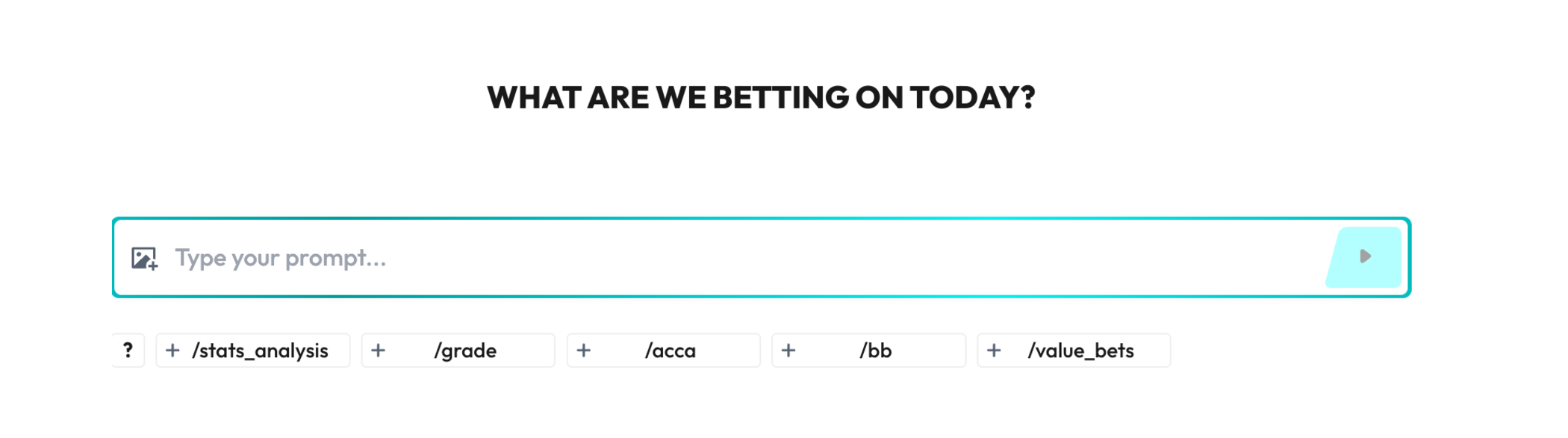
Example image of AI chat widget
Skills are predefined AI chat "modes" you can quickly apply to your prompt.
Each Skill has:
- •Tag – a short command you apply in chat (for example: /acca).
- •Description – how this Skill will transform the AI's response.
- •Full name – what the Skill does in human language.
When you turn on a Skill, the AI adjusts the response format, level of detail, and logic to match that specific task.
LIST OF AVAILABLE SKILLS
| Full name | Tag | Description |
|---|---|---|
| Accumulator | /acca | Build an accumulator |
| Bet Builder | /bb | Build a bet builder |
| Stats Analysis | /stats_analysis | Analyse trends and statistics for teams and players |
| Grade | /grade | Grade and evaluate betting selections |
| Value Bets | /value_bets | Find value bets with positive Expected Value |
HOW TO APPLY A SKILL IN CHAT
There are two main ways to use Skills with the AI chat:
- 1.Via tag in the input field:
- •Start your message with the Skill tag (for example: /acca).
- •Type your request after the tag.
- •Send the message and the AI will respond using that Skill's logic.
- 2.Example:
- •/bb Build a bet builder for tonight's Arsenal vs. Chelsea game with focus on goalscorers and cards.
- 3.Via Skill picker in the UI
- •Open the Skill carousel / picker under the chat input.
- •Click on the Skill you want to use (for example: "Accumulator").
- •The selected Skill becomes active for your next message.
- •Type your question and send as usual.
When a Skill is active, it is applied only to the next message you send.
SWITCHING AND DEACTIVATING SKILLS
- •Only one Skill can be active at a time.
- •To switch Skills, simply select another Skill from the carousel or start your next message with a different tag (for example, switch from /acca to /value_bets).
- •If you send a message without any Skill selected, the AI will respond in its default "general" mode.
BEST PRACTICES AND EXAMPLES
Use Skills whenever you have a specific betting task in mind. For example:
- •Use /acca when you want a multi-leg accumulator idea based on upcoming games.
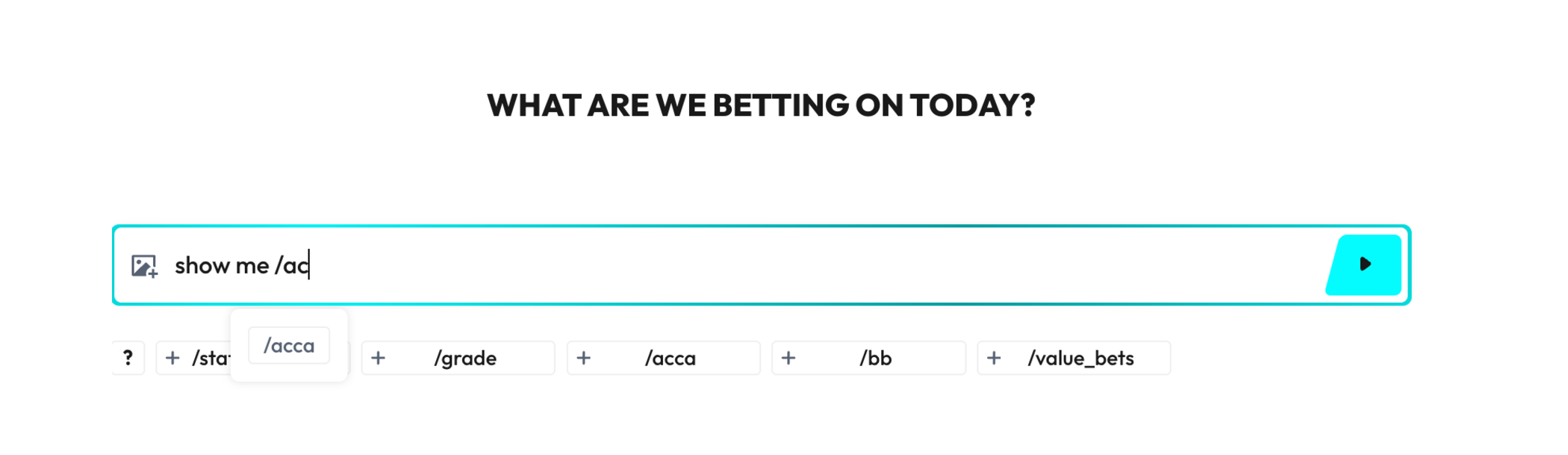
Example image of using the Tag popup